

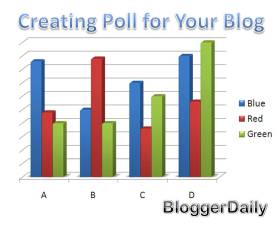
Maybe you’re familiar with the word ‘poll’ or ‘vote’. You might find some vote section on the sidebar of some blogs or sites.
Poll is one of the elements that able to optimize and getting traffic for your blog. It’s like you ask for your readers’ opinions about something through their votes. Let’s see how to apply it and make a great effect for your blog!
Getting Niche for Your Poll
The most important thing to do is get a niche for your poll. Make sure it’s related to your blog niche or your readers might get confuse with what you’re trying to ask them. For example, if you’re maintaining an entertainment blog, create a poll entitled “Which movies that you love most?” and then list the movies to be choosed by your readers.
Create A Special Post
Don’t just put the poll on the sidebar. Your readers might never noticed it. Create a special post for your poll. Put your poll first and then some description about your poll and tell how curious you are in knowing the result from the poll. Then put the poll on the sidebar with the link to the post. Don’t forget to create a special post too for the result. Announce the result then elaborate with some discussions. Your readers will love it!
Moderate the Duration
Make sure you set suitable duration for your poll. You might create a poll with short length such as 3-5 days or long duration such as 5-6 months. You can also create a never ending poll but don’t forget to update about the results in a specific time.
Promote your Poll
Don’t forget to promote your poll through Twitter and forums to increase the amount of voters for your poll. The more voters the better. More voters means more people will come again to see the result of the poll.
Creating poll is easy but you have to consider some points to make sure it’s completely works for your blog. There are poll provided for Blogspot users so you can directly choose from ‘Add Elements’ and if you’re a WordPress or other platform user. I recommend using MicroPoll or PollDaddy because they’re free and easy to use!
Have opinions or suggestions? Don’t forget to put your comment below!

24 Comments
I use pool plugin to create plugin between posts and pages, it great
thanks for the info… micro poll & poll daddy are external resources… I’m sure there might be some good wordpress plugins to do the job for us…
Cheers
Sandeep
Nice post. You may try out Hiburrito.com ‘s poll too =)
Great post! I should check out your recommendations – MicroPoll and PollDaddy.
Cheers,
Alvin Tan
I think the long duration of the poll is the best.
I really think poll are important information for our blog. I’m using Hiburrito’s WOP (World Online Poll) which are great in my opinion.
I have used poll daddy in the past and promoted it on all the usual places its just I am not sure how you capitalise on it and make cash online – I want to use the poll to find useful answer but because I don’t really get the level of response it doesn’t clear indicate one way or the other – any suggestions?
Good tips for new bloggers. I will going to add the plugin soon. I have written an article on bringing new visitors to your blog. Please do visit it.
http://netzsavvy.com/2009/07/12/tips-to-bring-visitors-to-your-new-blog-part1/
I use PollDaddy and I’m happy with it. Speaking of polls, you reminded me of mine 🙂 Thanks for this.
Thank you so much for sharing your experience of a poll, I am looking for a good way to create a poll for my blog, well, now I find it in your blog. Your blog is really nice :).
I had a few good experiences with Poll Daddy, and would definitely consider using them again. Polls are great for driving traffic to your blog.
I decide to use PollDaddy, so far I’m happy on using their service plus the mere fact that they are free. Thanks!
Polls are great and I must admit that I don’t capitalize on this, but will be installing a WP plugin for this.
I never try it, but I thing “poll” is a good idea. I hope it can drive more traffic to my blog.
thanks
mancing
Polls are great for posts when you have NOTHING else to write. THey can bring out attention, but watch all the hate comments come 😀
-Mike
Thanks for your post! I’ll check these two polls. 🙂 I wanna try it!
A poll’s a great way to enhance user interaction. Thanks for posting!
I believe that the power of the net now is in the hands of the citizens and using polls is one way they can demonstrate this. Voting and polling is very popular now.
I haven’t tried these two polls, but I would like to.
I would love to try these two, and differentiate it. Thanks for the tips! 🙂
This is a good idea for beginners who wants to get traffic on their blogs! nice article! 🙂
Blog poll is very easy to create but it is very tough to promote for new bloggers.
I use WP-Polls plugin for creating polls. It’s fast and easy to use.
I have used PollDaddy in past but sometimes, it may take time to load which can be an issue on slower connections!
Polls always get the most activity across the blogs that I own. There is usually a big long discussion on the post.
What would be the best way to use a blog poll? How much traffic can be directed to a site?